Plan B
If it ever happens, you'll know what to do.
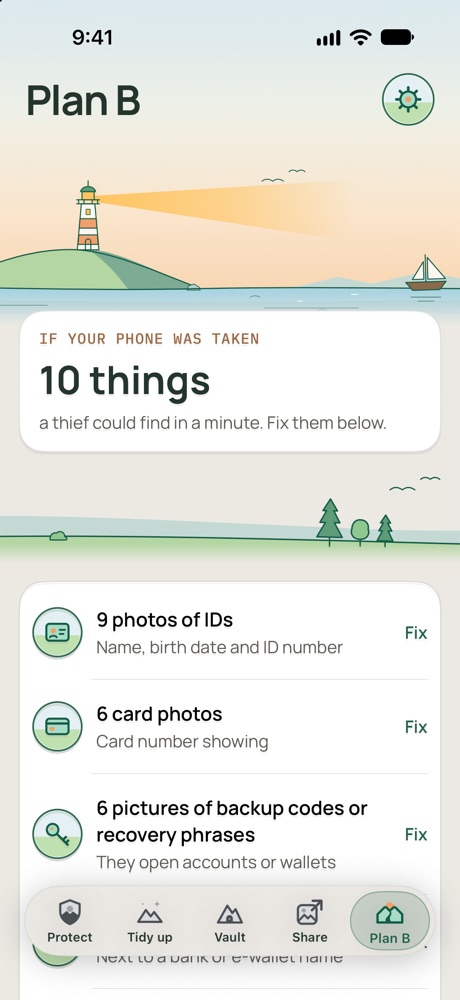
Plan B shows what someone could find on your phone, helps you fix it, and gets a plan ready while everything is calm.
What it does
Shows what someone could find
A short list from FirstHour's checks and your answers, each with a way to fix it.
16 guided tips
Most useful first: passcode and Face ID, Find My, your Apple Account password, Stolen Device Protection, a SIM PIN, and more.
Your banks and hotlines
Tick your network, e-wallets and banks. Only what you tick goes into your plan. Checked numbers are built in for the Philippines and the US so far, and you can add your own anywhere.
Your first-hour plan
What to do now, in 10 minutes, in 30 minutes and today, with your own hotlines. Tap a step to tick it and keep the time.
Get it off your phone
A plan that's only on your phone goes missing with it. Send it to someone you trust, email it to yourself, or print a wallet card.
Your phone's details
Keep your model, IMEI and serial number in the plan, ready for your network or the police.
Phone check-in
An iPhone Shortcut that sends your location and a photo from each camera when someone you pick texts a secret code. For now you build the Shortcut yourself. FirstHour shows you how to add the secret-text trigger and its own last step. It only works while the iPhone is on and connected.
Coming later
Theft Lock
Lock FirstHour from any phone or computer. It locks FirstHour, not the iPhone itself.
Recovery location
Shows where your phone last reported, only if you turned it on. It isn't live tracking and doesn't replace Find My.
Good to know
- FirstHour can't lock your bank accounts. It tells you what to do and who to call.
- Hotlines are checked by hand and show the date they were read, so they can go out of date. Some providers show no number because they don't list one for this, or we haven't been able to check it yet.
- iPhone doesn't let apps read the IMEI or serial number, so you type them in.
- Your plan has your IMEI and the names of your network and banks, but no passwords or card numbers. Wherever you send it, a copy leaves your phone.
- FirstHour can't confirm that your helper received the plan.